10.5 - Performance Optimization - הרצאה
אופטימיזציית ביצועים - Performance Optimization
בשיעור זה נלמד טכניקות מעשיות לשיפור ביצועי אפליקציות פרונטאנד. נכסה אופטימיזציית תמונות, פיצול קוד, caching, ואופטימיזציות ספציפיות ל-React.
אופטימיזציית תמונות - Image Optimization
תמונות הן לרוב המשאב הכבד ביותר בדף. אופטימיזציה נכונה יכולה לחסוך עשרות אחוזים מזמן הטעינה.
פורמטים מודרניים
| פורמט | שימוש | יתרונות |
|---|---|---|
| WebP | תמונות כלליות | 25-35% קטן מ-JPEG, שקיפות |
| AVIF | תמונות כלליות | 50% קטן מ-JPEG, הכי יעיל |
| SVG | אייקונים ולוגואים | וקטורי, קל, scalable |
| PNG | תמונות עם שקיפות | lossless, איכות גבוהה |
| JPEG | תמונות צילום | נתמך בכל מקום |
טעינה עצלה - Lazy Loading
<!-- native lazy loading -->
<img src="product.jpg" alt="מוצר" loading="lazy" />

<!-- eager loading for above the fold images -->
<img src="hero.jpg" alt="hero" loading="eager" />
תמונות רספונסיביות עם srcset
<!-- The browser picks the appropriate size for the screen -->
<img
  src="product-800.jpg"
  srcset="
    product-400.jpg 400w,
    product-800.jpg 800w,
    product-1200.jpg 1200w
  "
  sizes="(max-width: 600px) 400px, (max-width: 900px) 800px, 1200px"
  alt="מוצר"
/>
קומפוננטת next/image
import Image from 'next/image';

// Basic image with automatic optimization
<Image
  src="/product.jpg"
  alt="מוצר"
  width={800}
  height={600}
/>

// Responsive image that fills the container
<div style={{ position: 'relative', width: '100%', aspectRatio: '16/9' }}>
  <Image
    src="/hero.jpg"
    alt="תמונת גיבור"
    fill
    sizes="100vw"
    priority
    style={{ objectFit: 'cover' }}
  />
</div>

// Remote image with an approved domain
// next.config.js:
// images: { remotePatterns: [{ hostname: 'cdn.example.com' }] }
<Image
  src="https://cdn.example.com/product.jpg"
  alt="מוצר"
  width={400}
  height={300}
/>
מה next/image עושה אוטומטית:
- המרה לפורמט WebP/AVIF
- יצירת srcset עם גדלים שונים
- lazy loading אוטומטי (אלא אם מוגדר priority)
- מניעת CLS עם שמירת מקום
- אופטימיזציית גודל לפי הצורך
פיצול קוד וייבוא דינמי - Code Splitting and Dynamic Imports
למה פיצול קוד חשוב
- ללא פיצול, כל ה-JavaScript נטען ב-bundle אחד
- המשתמש מוריד קוד של דפים שהוא אולי לא יבקר בהם
- פיצול מאפשר טעינה רק של הקוד הנדרש
ייבוא דינמי ב-React
import { lazy, Suspense } from 'react';

// Instead of: import HeavyChart from './HeavyChart';
const HeavyChart = lazy(() => import('./HeavyChart'));

function Dashboard() {
  return (
    <div>
      <h1>דשבורד</h1>
      <Suspense fallback={<div>טוען גרף...</div>}>
        <HeavyChart data={chartData} />
      </Suspense>
    </div>
  );
}
ייבוא דינמי ב-Next.js
import dynamic from 'next/dynamic';

// Component that is loaded only on the client
const RichTextEditor = dynamic(() => import('./RichTextEditor'), {
  ssr: false, // Not rendered on the server
  loading: () => <div style={{ height: '300px' }}>טוען עורך...</div>,
});

// Heavy component that is loaded only when needed
const PdfViewer = dynamic(() => import('./PdfViewer'), {
  loading: () => <p>טוען מציג PDF...</p>,
});

function DocumentPage({ doc }) {
  return (
    <main>
      <h1>{doc.title}</h1>
      <RichTextEditor content={doc.content} />
      {doc.hasPdf && <PdfViewer url={doc.pdfUrl} />}
    </main>
  );
}
פיצול לפי נתיב - Route-Based Splitting
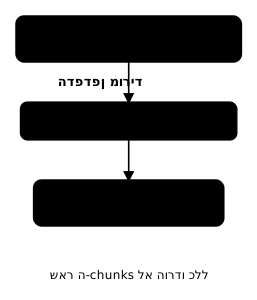
- ב-Next.js App Router, כל דף (page.tsx) הוא chunk נפרד אוטומטית
- אין צורך בהגדרה מיוחדת - זה קורה מהקומפיילר
// Every page.tsx is a separate bundle
app/
├── page.tsx          → chunk-main.js
├── about/page.tsx    → chunk-about.js
├── blog/page.tsx     → chunk-blog.js
└── products/page.tsx → chunk-products.js
ניתוח Bundle - Bundle Analysis
# Installing webpack-bundle-analyzer
npm install --save-dev @next/bundle-analyzer

# Running it
ANALYZE=true npm run build
// next.config.js
const withBundleAnalyzer = require('@next/bundle-analyzer')({
  enabled: process.env.ANALYZE === 'true',
});

module.exports = withBundleAnalyzer({
  // Rest of the config
});
מה לחפש בניתוח
- ספריות גדולות שאפשר להחליף (למשל moment.js -> date-fns או dayjs)
- קוד שנטען אבל לא משמש
- ספריות שנטענות ב-bundles מרובים (duplication)
- פונקציות שמייבאים ספרייה שלמה בשבילן
// Bad - imports all of lodash (71KB)
import _ from 'lodash';
const sorted = _.sortBy(items, 'name');

// Good - imports only the needed function (2KB)
import sortBy from 'lodash/sortBy';
const sorted = sortBy(items, 'name');

// Best - write it yourself or use native
const sorted = [...items].sort((a, b) => a.name.localeCompare(b.name));
ניעור עצים - Tree Shaking
- תהליך אוטומטי שמסיר קוד שלא משתמשים בו מה-bundle
- עובד רק עם ES Modules (import/export), לא עם CommonJS (require)
- וודאו שספריות תומכות ב-tree shaking (בדקו אם יש שדה "sideEffects" ב-package.json)
// tree shaking works with named imports
import { Button, Card } from '@/components/ui';
// Only Button and Card will be included in the bundle

// tree shaking doesn't work with CommonJS
const { Button, Card } = require('@/components/ui');
// The entire library will be included
// package.json - defining sideEffects
{
  "sideEffects": false
}

// or specifying specific files with side effects
{
  "sideEffects": ["*.css", "./src/polyfills.ts"]
}
אסטרטגיות Caching
Browser Cache עם Cache-Control
// next.config.js - cache headers
module.exports = {
  async headers() {
    return [
      {
        // Static files with a hash - cache for a year
        source: '/_next/static/(.*)',
        headers: [
          {
            key: 'Cache-Control',
            value: 'public, max-age=31536000, immutable',
          },
        ],
      },
      {
        // Optimized images - cache for a week
        source: '/_next/image(.*)',
        headers: [
          {
            key: 'Cache-Control',
            value: 'public, max-age=604800, stale-while-revalidate=86400',
          },
        ],
      },
      {
        // HTML pages - short cache
        source: '/(.*)',
        headers: [
          {
            key: 'Cache-Control',
            value: 'public, max-age=0, must-revalidate',
          },
        ],
      },
    ];
  },
};
CDN - Content Delivery Network
- CDN מפיץ את התוכן לשרתים ברחבי העולם
- המשתמש מקבל את התוכן מהשרת הקרוב אליו
- Vercel, Cloudflare, AWS CloudFront הם CDN-ים נפוצים
- ב-Next.js על Vercel, CDN מוגדר אוטומטית
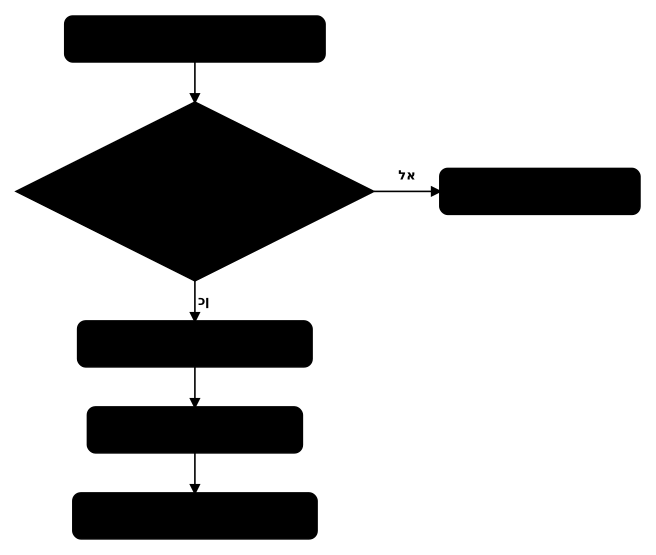
תבנית stale-while-revalidate
max-age=60- הקאש תקף ל-60 שניותstale-while-revalidate=3600- אחרי 60 שניות, מחזיר את הגרסה הישנה מהקאש ובמקביל מרענן ברקע- התוצאה: המשתמש תמיד מקבל תשובה מהירה
// In Next.js - revalidation
// ISR - Incremental Static Regeneration
export const revalidate = 60; // Revalidate every 60 seconds

// or at the fetch level
const data = await fetch('https://api.example.com/data', {
  next: { revalidate: 3600 }, // Revalidate every hour
});
אופטימיזציית פונטים - Font Optimization
בעיות עם פונטים
- פונטים חיצוניים מוסיפים בקשות רשת
- FOIT (Flash of Invisible Text) - טקסט נעלם עד שהפונט נטען
- FOUT (Flash of Unstyled Text) - טקסט מוצג בפונט אחר ואז מתחלף
- גורם ל-CLS כשהפונט מתחלף
אופטימיזציה עם next/font
// app/layout.tsx
import { Inter, Rubik } from 'next/font/google';

// English font
const inter = Inter({
  subsets: ['latin'],
  display: 'swap',
  variable: '--font-inter',
});

// Hebrew font
const rubik = Rubik({
  subsets: ['hebrew', 'latin'],
  display: 'swap',
  variable: '--font-rubik',
});

export default function RootLayout({ children }: { children: React.ReactNode }) {
  return (
    <html lang="he" dir="rtl" className={`${inter.variable} ${rubik.variable}`}>
      <body>{children}</body>
    </html>
  );
}
/* Using the font as a CSS Variable */
body {
  font-family: var(--font-rubik), Arial, sans-serif;
}

code {
  font-family: var(--font-inter), monospace;
}
מה next/font עושה:
- מוריד את קבצי הפונט בזמן build ושומר אותם מקומית (self-hosting)
- מבטל בקשות רשת לגוגל פונטס
- משתמש ב-CSS size-adjust למניעת CLS
- display: 'swap' מציג טקסט מיד עם fallback
פונט מקומי
import localFont from 'next/font/local';

const heebo = localFont({
  src: [
    { path: './fonts/Heebo-Regular.woff2', weight: '400' },
    { path: './fonts/Heebo-Bold.woff2', weight: '700' },
  ],
  display: 'swap',
  variable: '--font-heebo',
});
צמצום זמן הרצת JavaScript
זיהוי JavaScript כבד
// Using the Chrome DevTools Performance panel:
// 1. Record performance
// 2. Look for Long Tasks (marked in red - over 50ms)
// 3. Identify the functions that consume the most time
טכניקות צמצום
// 1. Web Worker for heavy computations
// worker.ts
self.onmessage = (e) => {
  const result = processLargeDataset(e.data);
  self.postMessage(result);
};

// component.tsx
function DataProcessor() {
  const worker = useMemo(
    () => new Worker(new URL('./worker.ts', import.meta.url)),
    []
  );

  useEffect(() => {
    worker.onmessage = (e) => setResult(e.data);
    return () => worker.terminate();
  }, [worker]);

  return <button onClick={() => worker.postMessage(data)}>עבד</button>;
}
// 2. Splitting long tasks with scheduler.yield
async function processItems(items: Item[]) {
  for (let i = 0; i < items.length; i++) {
    processItem(items[i]);

    // Every 100 items, yield control back to the browser
    if (i % 100 === 0) {
      await new Promise(resolve => setTimeout(resolve, 0));
    }
  }
}
// 3. Deferring non-critical scripts
// next.config.js
module.exports = {
  async headers() {
    return [
      {
        source: '/(.*)',
        headers: [
          // Load analytics after the page
          { key: 'Link', value: '</analytics.js>; rel=preload; as=script; fetchpriority=low' },
        ],
      },
    ];
  },
};
אופטימיזציות ספציפיות ל-React
React.memo - מניעת רינדור מיותר
import { memo } from 'react';

// Only re-renders when the props change
const ProductCard = memo(function ProductCard({
  name,
  price,
  image,
}: {
  name: string;
  price: number;
  image: string;
}) {
  return (
    <div className="product-card">
      <img src={image} alt={name} />
      <h3>{name}</h3>
      <p>{price} ₪</p>
    </div>
  );
});
useMemo - שמירת ערכים מחושבים בזיכרון
import { useMemo } from 'react';

function ProductList({ products, filter }: { products: Product[]; filter: string }) {
  // Filtering happens only when the products or filter change
  const filteredProducts = useMemo(() => {
    return products.filter(p => p.name.includes(filter));
  }, [products, filter]);

  return (
    <ul>
      {filteredProducts.map(p => <li key={p.id}>{p.name}</li>)}
    </ul>
  );
}
useCallback - שמירת פונקציות בזיכרון
import { useCallback, useState } from 'react';

function ParentComponent() {
  const [items, setItems] = useState<Item[]>([]);

  // The function is not recreated on every render
  const handleDelete = useCallback((id: number) => {
    setItems(prev => prev.filter(item => item.id !== id));
  }, []);

  return (
    <ul>
      {items.map(item => (
        <MemoizedItem key={item.id} item={item} onDelete={handleDelete} />
      ))}
    </ul>
  );
}

const MemoizedItem = memo(function Item({
  item,
  onDelete,
}: {
  item: Item;
  onDelete: (id: number) => void;
}) {
  return (
    <li>
      {item.name}
      <button onClick={() => onDelete(item.id)}>מחק</button>
    </li>
  );
});
וירטואליזציה - Virtualization
// Using react-window for long lists
import { FixedSizeList as List } from 'react-window';

interface Item {
  id: number;
  name: string;
}

function VirtualizedList({ items }: { items: Item[] }) {
  return (
    <List
      height={600}        // container height
      itemCount={items.length}
      itemSize={60}       // height of each item
      width="100%"
    >
      {({ index, style }) => (
        <div style={style}>
          <div className="list-item">
            {items[index].name}
          </div>
        </div>
      )}
    </List>
  );
}
- וירטואליזציה מרנדרת רק את הפריטים שנראים על המסך
- במקום 10,000 אלמנטי DOM, יש רק 15-20
- חיוני לרשימות ארוכות, טבלאות גדולות, וגריד עם הרבה פריטים
רשימת בדיקות ביצועים
Images:
[ ] WebP/AVIF format
[ ] lazy loading for below the fold images
[ ] priority for above the fold images
[ ] srcset / sizes are set
[ ] next/image in use

JavaScript:
[ ] code splitting / dynamic imports
[ ] tree shaking works
[ ] no unnecessary libraries in the bundle
[ ] Web Workers for heavy computations
[ ] Long Tasks identified and split

Cache:
[ ] Cache-Control headers are set
[ ] CDN is configured
[ ] stale-while-revalidate in use
[ ] ISR / revalidation is configured

Fonts:
[ ] next/font or self-hosted
[ ] display: swap
[ ] only required subsets

React:
[ ] memo for heavy components
[ ] useMemo for expensive computations
[ ] useCallback for functions passed as props
[ ] virtualization for long lists
סיכום
- אופטימיזציית תמונות: פורמטים מודרניים, lazy loading, srcset, next/image
- פיצול קוד: dynamic imports, route-based splitting, lazy loading
- ניתוח bundle: webpack-bundle-analyzer, זיהוי ספריות כבדות
- Tree shaking: שימוש ב-ES Modules, named imports
- Caching: Cache-Control headers, CDN, stale-while-revalidate
- פונטים: next/font, display swap, self-hosting
- צמצום JavaScript: Web Workers, פיצול משימות, דחיית סקריפטים
- אופטימיזציות React: memo, useMemo, useCallback, virtualization